Line up text with top of image
Posted: Thu May 14, 2026 12:25 am
What is being shown here is part a layout grid. Nothing special. No special alignment settings, just a new newly inserted layout grid.
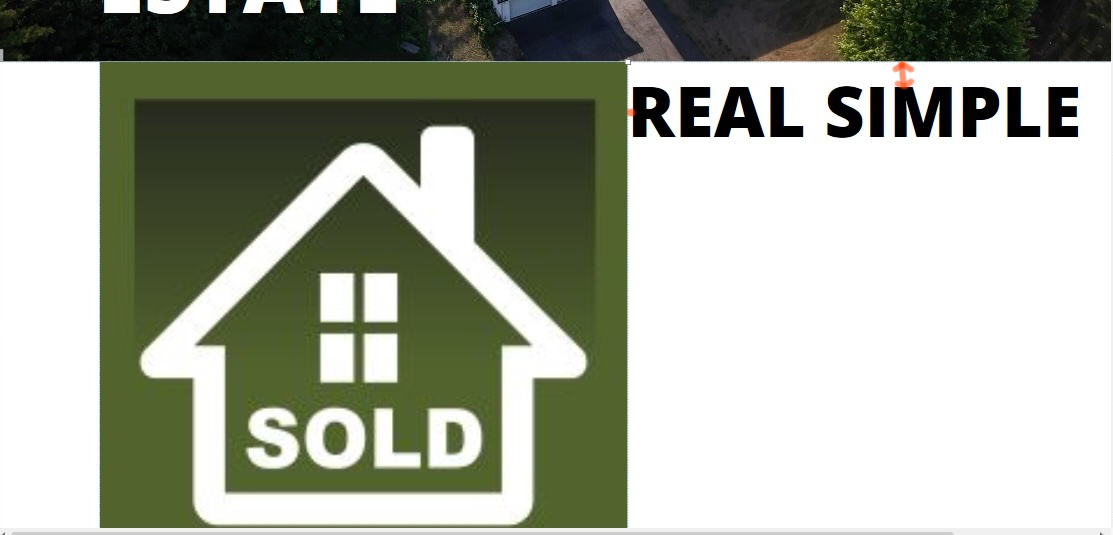
It has 4 columns. The two middle columns (2 & 3) are what you're looking at in this picture. The grid itself is set to "flexbox" grid system with 0 gutter width. Each column is set to "Left/Top".
The "sold" image is in column 2 and it's properties is set to "full width - false" with object fit to "fill".
The text in column 3 is Open Sand Extra Bold at 80 pt. It's properties are "Full width - True" with "responsive fonts" enabled"
All I want to do is line the top of the text up with the top of that image in the 2nd column and eliminate that little 2px space at the left of the text. . How do i go about this?
How do i eliminate that space about the text...or at least calculate how much margin or padding is required at the top of the image so that i can add an overall padding later to bring them both down a bit?
It has 4 columns. The two middle columns (2 & 3) are what you're looking at in this picture. The grid itself is set to "flexbox" grid system with 0 gutter width. Each column is set to "Left/Top".
The "sold" image is in column 2 and it's properties is set to "full width - false" with object fit to "fill".
The text in column 3 is Open Sand Extra Bold at 80 pt. It's properties are "Full width - True" with "responsive fonts" enabled"
All I want to do is line the top of the text up with the top of that image in the 2nd column and eliminate that little 2px space at the left of the text. . How do i go about this?
How do i eliminate that space about the text...or at least calculate how much margin or padding is required at the top of the image so that i can add an overall padding later to bring them both down a bit?