Publishing ok, but not showing

Issues related to previewing and publishing your web site.
Post Reply
collectors
 
 
Posts: 4
Joined: Tue Dec 09, 2025 7:25 am

Publishing ok, but not showing

Post by collectors »

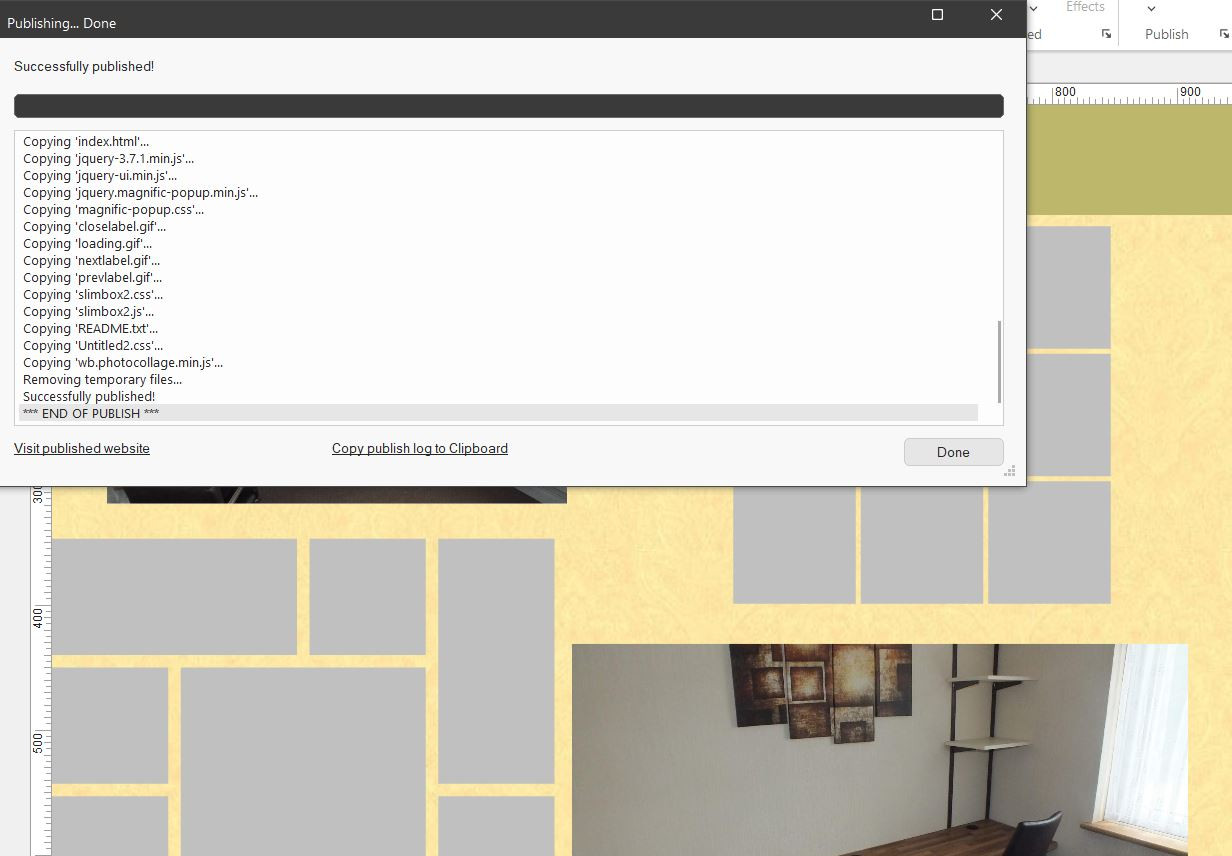
Hi, bit new to WYSIWYG, but i am publishing an index page & it says published ok, but no files are showing at the Hostinger end. I cut & pated some text & a couple of pictures as a html page on the server & that shows up ok at my domain. But hit the publish & nothing at the server end.
www.chrismorris.co.uk Thanks

Image
User avatar
Pablo
 
Posts: 24187
Joined: Sun Mar 28, 2004 12:00 pm
Location: Europe
Contact:

Re: Publishing ok, but not showing

Post by Pablo »

This usually means that the website is published to the wrong folder.
Please check your remote folder settings.

Related tutorial:
https://wysiwygwebbuilder.com/publish.html
collectors
 
 
Posts: 4
Joined: Tue Dec 09, 2025 7:25 am

Re: Publishing ok, but not showing

Post by collectors »

Sorry i didn't come back, forgot about the notification tick box.
I would imagine its one simple thing i am doing, but not sure what?
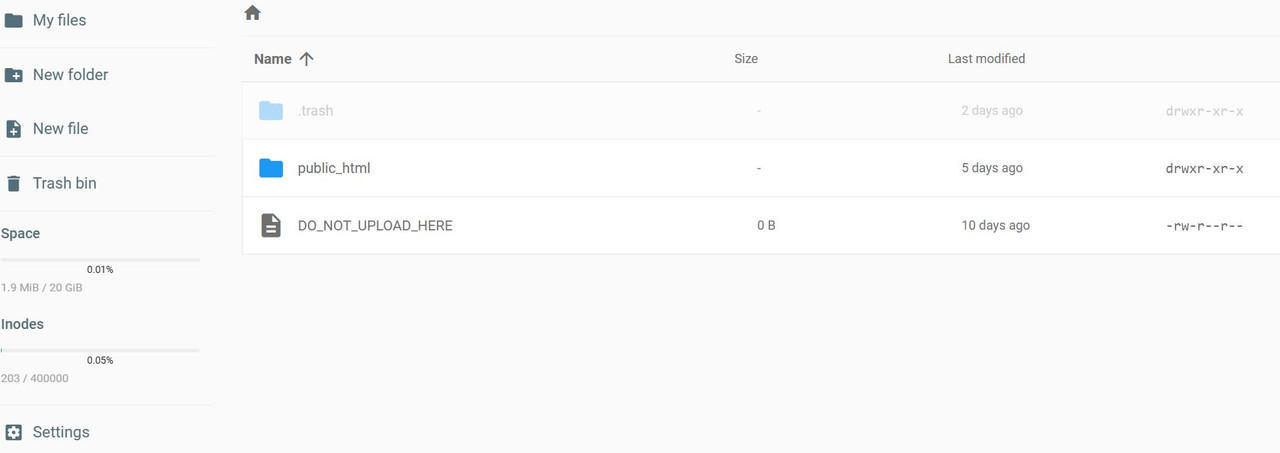
The 1st image is my 1st file area. From here i click on the Public_html & get the 2nd image.
Image

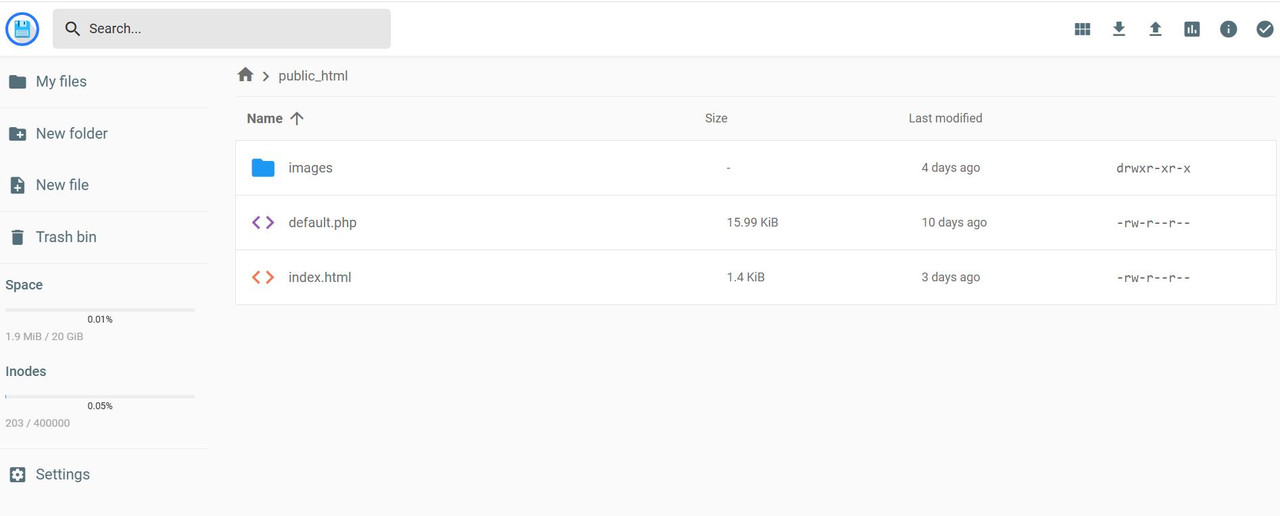
2nd image & in the Public_html folder & nothing showing in any other folders. ?? The images folder & index page i put there to test the server end.
Image
User avatar
Pablo
 
Posts: 24187
Joined: Sun Mar 28, 2004 12:00 pm
Location: Europe
Contact:

Re: Publishing ok, but not showing

Post by Pablo »

Are you sure your publish settings are ok?
What do you see when you login with the FTP manager?

Note, this can only be a configuration issue. So, I can only help if I know all settings.
User avatar
onlye
 
 
Posts: 504
Joined: Sun Jun 17, 2018 12:36 am
Location: Gluckstadt, MS USA
Contact:

Re: Publishing ok, but not showing

Post by onlye »

If you use the built in FTP and choose Explore it will take you to the folder you are set to publish to. You can also see if your files are there. Good way to confirm you are publishing where you think you are.
onlye
Gluckstadt, MS USA
collectors
 
 
Posts: 4
Joined: Tue Dec 09, 2025 7:25 am

Re: Publishing ok, but not showing

Post by collectors »

onlye wrote: Tue Jan 20, 2026 4:09 pm If you use the built in FTP and choose Explore it will take you to the folder you are set to publish to. You can also see if your files are there. Good way to confirm you are publishing where you think you are.
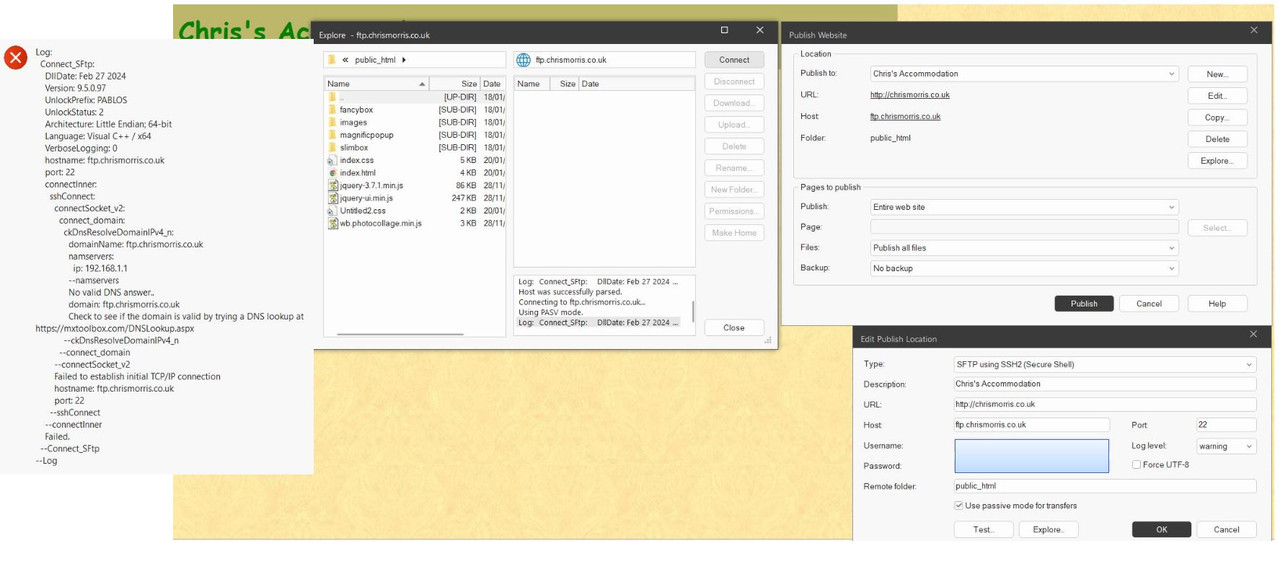
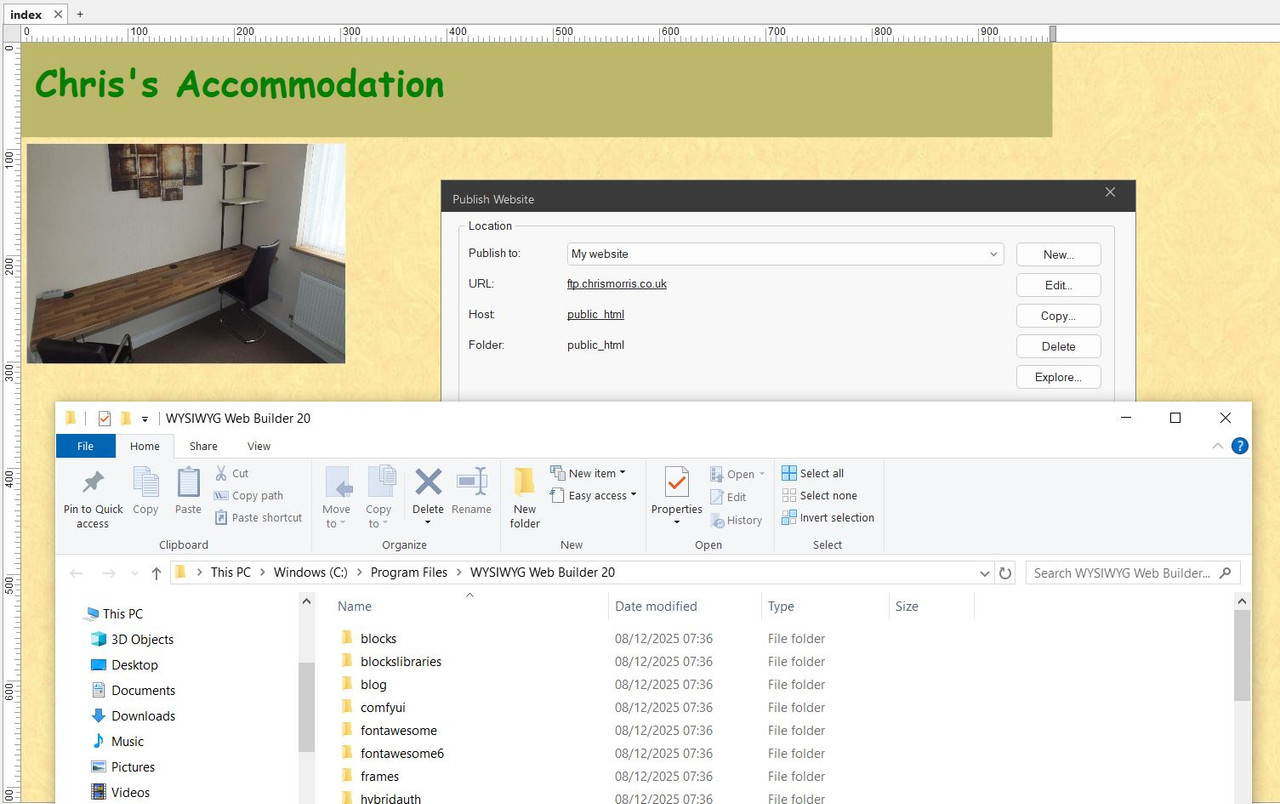
Hi, thanks for the info, When i go to publish & click on the explore button it gives me a popup that is the folder of my WYSIWYG 20 program. Should i not get the split FTP screen? as its not showing & i get like the image below when clicking on explore & no link in that folder to FTP. Thanks
Image
User avatar
Pablo
 
Posts: 24187
Joined: Sun Mar 28, 2004 12:00 pm
Location: Europe
Contact:

Re: Publishing ok, but not showing

Post by Pablo »

Based on your screenshot, it looks like you have configured a local folder instead of (secure) FTP. 'public_html' is not a valid host name.

This may be helpful:
https://wysiwygwebbuilder.com/publish.html
User avatar
BaconFries
 
 
Posts: 6221
Joined: Thu Aug 16, 2007 7:32 pm

Re: Publishing ok, but not showing

Post by BaconFries »

As already suggested see the following: Publishing your web pages reading from
Publish your website to a remote FTP server and the screenshot how to enter your details. Note only you and your hosting provider will know this so for any issues please contact them.
collectors
 
 
Posts: 4
Joined: Tue Dec 09, 2025 7:25 am

Re: Publishing ok, but not showing

Post by collectors »

Took out any old details & started again & still no luck. I used BV for years & no problems & this is very similar. Maybe you can see in this image whats wrong?

Image
User avatar
Pablo
 
Posts: 24187
Joined: Sun Mar 28, 2004 12:00 pm
Location: Europe
Contact:

Re: Publishing ok, but not showing

Post by Pablo »

Are you sure these settings are correct?
It seems to want to connect to a local IP.

Maybe you need ftps or another port?

Can you successfully connect with another FTP tool (for example FileZilla) using the same settings?
alan_sh
 
 
Posts: 1933
Joined: Tue Jan 01, 2019 5:50 pm

Re: Publishing ok, but not showing

Post by alan_sh »

The log file says it can't connect to ftp.chrismorris... So, I'd start there.

Alan
Post Reply