Line up text with top of image

All WYSIWYG Web Builder support issues that are not covered in the forums below.
Forum rules
IMPORTANT NOTE!!

DO YOU HAVE A QUESTION OR PROBLEM AND WANT QUICK HELP?
THEN PLEASE SHARE A "DEMO" PROJECT.


PLEASE READ THE FORUM RULES BEFORE YOU POST:
http://www.wysiwygwebbuilder.com/forum/viewtopic.php?f=12&t=1901

MUST READ:
http://www.wysiwygwebbuilder.com/getting_started.html
WYSIWYG Web Builder FAQ
Post Reply
JayNicks
 
 
Posts: 20
Joined: Mon Nov 11, 2024 3:05 pm

Line up text with top of image

Post by JayNicks »

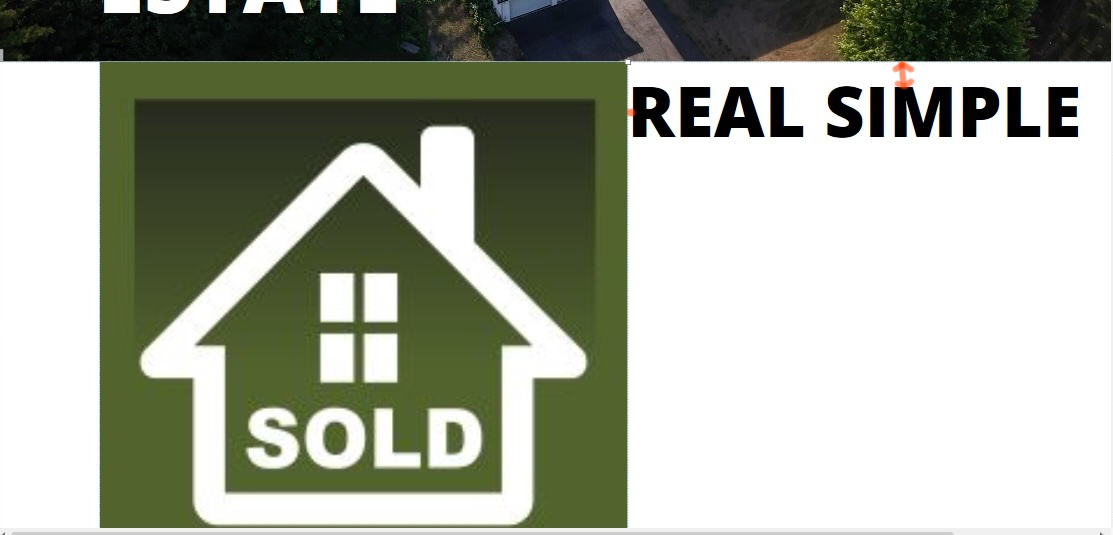
What is being shown here is part a layout grid. Nothing special. No special alignment settings, just a new newly inserted layout grid.

Image

It has 4 columns. The two middle columns (2 & 3) are what you're looking at in this picture. The grid itself is set to "flexbox" grid system with 0 gutter width. Each column is set to "Left/Top".

The "sold" image is in column 2 and it's properties is set to "full width - false" with object fit to "fill".

The text in column 3 is Open Sand Extra Bold at 80 pt. It's properties are "Full width - True" with "responsive fonts" enabled"

All I want to do is line the top of the text up with the top of that image in the 2nd column and eliminate that little 2px space at the left of the text. . How do i go about this?

How do i eliminate that space about the text...or at least calculate how much margin or padding is required at the top of the image so that i can add an overall padding later to bring them both down a bit?
User avatar
Pablo
 
Posts: 24565
Joined: Sun Mar 28, 2004 12:00 pm
Location: Europe
Contact:

Re: Line up text with top of image

Post by Pablo »

Note that some fonts may have extra line spacing. This is not specific to the software. For the software all fonts are treated the same way.

But you change the line spacing via the 'line spacing' command.

If you need further assistance then please share a DEMO project (not the full project), as explained in the forum rules:
viewtopic.php?f=10&t=82134
Post Reply