WWB IDE workspace Dark Mode
Posted: Wed Jan 07, 2026 8:15 pm
Sorry if this topic has been asked before but I was not finding answer to this specific question
In the IDE I set Dark Mode using the ribbon "Dark Mode" icon
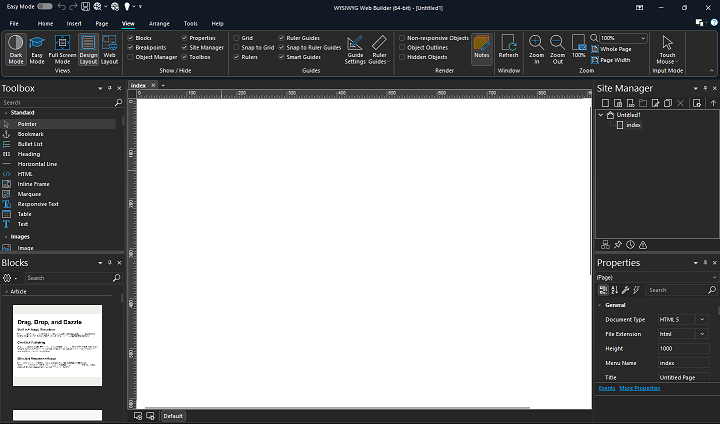
The IDE does go into Dark Mode except the center workspace and the objects added to it and after time it hurts my old eyes
As hopefully you can see from the attachment that the center workspace stays light mode. How or can we make the IDE 100% Dark Mode?
How can I make the work area for editing pages/adding objects Dark Mode.
TIA
In the IDE I set Dark Mode using the ribbon "Dark Mode" icon
The IDE does go into Dark Mode except the center workspace and the objects added to it and after time it hurts my old eyes
As hopefully you can see from the attachment that the center workspace stays light mode. How or can we make the IDE 100% Dark Mode?
How can I make the work area for editing pages/adding objects Dark Mode.
TIA