On one of my web sites, when I open it, it tells me:
The following Google Fonts are used in this project bit not installed:
Nunito Sans ExtraBold
Do you want to install the missung fonts authomatically
I always answer "Yes".
What I want to do is find where they are used and get rid of them. I've tried to do a global replace, but the message keeps appearing. So, how do I find where these fonts are being used?
@Alan, I'm not sure there is an easy way inside WB to locate the object that may be using a particular font. Do you have extensions on the page? I would check those just in case the global replace doesn't change those.
I've had this happen to me and I will preview a page and then use the browser inspector to look and see if the code has been added to the page for the font. If it has, I then look thru the CSS to determine what object it is. Not necessarily the quickest way but it works.
Pablo - it already does check for missing fonts when I load the project. That's how I know there's some missing. I can't create a 'demo' project because the whole point is that it's somewhere inside an existing project.
Crispy - thanks for the suggestion. What I might do before delving into CSS code is copy it to a dummy project and then remove pages until the problem goes away. Then I will know which page has it.
I have tried that and it makes no difference. So the fonts are somewhere that Global replace doesn't find, but the test to see what is missing does find.
@Alan if you can't provide a "Demo" then is is possible to just provide a url? so that the source could at least be viewed and checked for the elusive font.
Thanks Alan. Just a quick view of the site and it's source. I found one instance of where it is used at the following url on the themeableButton1 See the screenshot taken from the network.css It may be used in other pages but this is a start. It also looks like it was used in join.html again on themeableButton4
I will try to check again when I get back home. https://www.penninescouts.org.uk/network.html
I can't nail it down. I remove pages until I don't get the message, but I cannot see where I am using "Nunito Sans Extra Bold" anywhere. It's somewhere in one of the 'Groups' pages. but a lot of them are not actually use (which I hadn't noticed!!!)
I regularly browse the forum and often find hints and tips I have not previous thought about, so I also know Alan has kindly tried to assist on many issues for other users.
Having said that I find myself wondering why, after Pablo has asked more than once, have you not provided a demo project and gained a resolution to your problem.
I presume there is a reason but for the life of me cannot figure it out - I am intrigued .....
It's because I can't get it down to one simple page. If I could do that, I could probably find the answer myself. I've got it down to a group of pages - but as soon as I reduce them, the problem goes away. So, you'd think it was in the pages I've removed. But no - put those back and take others away and the problem goes away again.
I've also looked at the source code and I cannot see "NunitoSans Extra Bold" being used anywhere. I think I've got rid of any themed button which uses "Nunito Sans" but the problem is still there.
I'm still working on it. When I can get it down to something manageable, I will post a link.
Alan have you by chance recently changed from using legacy fonts to variable? if so then maybe read from using Variable Fonts at the following url it may offer an explanation such as having to reinstall the font or having to clear the font download cache where the fonts are stored C:\Users\USERNAME\Documents\WYSIWYG Web Builder\system\downloads https://www.wysiwygwebbuilder.com/webfonts.html
Pablo wrote: Sun Feb 08, 2026 4:58 pm
When this option is enabled then it scans all pages for the used fonts and then compares it with the installed fonts.
Any chance of a debug version which also tells me which page it found the discrepancy? Or maybe add that capability into WWB 21 (as an option).
It does it very quickly - my web site has about 75 pages.
BaconFries wrote: Sun Feb 08, 2026 5:10 pm
Alan have you by chance recently changed from using legacy fonts to variable? if so then maybe read from using Variable Fonts at the following url it may offer an explanation such as having to reinstall the font or having to clear the font download cache where the fonts are stored C:\Users\USERNAME\Documents\WYSIWYG Web Builder\system\downloads https://www.wysiwygwebbuilder.com/webfonts.html
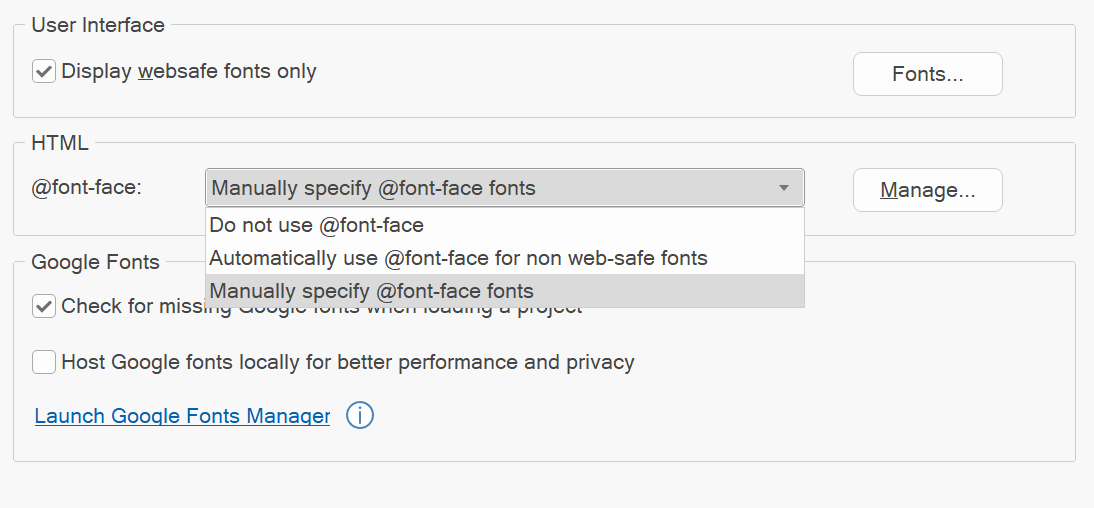
BF, as far as I know I haven't changed to variable fonts. My option is set to "Do not use @fontface".
I'll read through the suggest help topic again, but nothing pops out that I need to do.